
Production
From batch planning to dispatch. Nothing slips through.
MobiOffice connects your dye recipe to the machine, the machine to the batch, and the batch to dispatch — with every step tracked in one system.
Four things that change from day one
01 — MSP Production Module
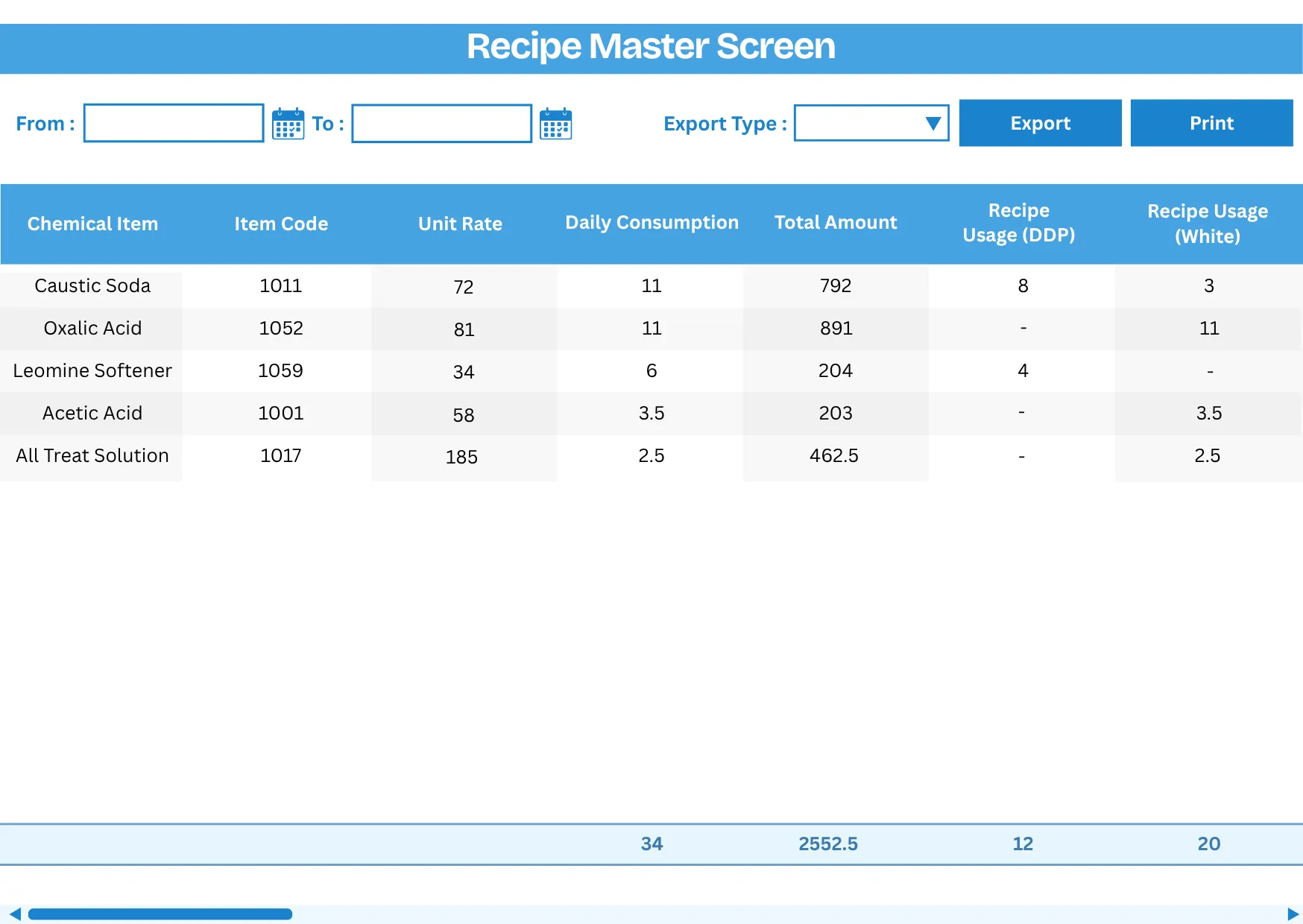
MLR-based recipes. Calculated automatically.
Define recipes with weight parameters, MLR ratios, and dye/auxiliary formulations. Chemical quantities are calculated automatically based on fabric weight — no manual arithmetic at the batch level.
- Weight calculations per recipe based on MLR parameters
- Recipes defined for standardized dyeing operations
- Consistent recipe application across production batches
02 — Material Request
Track every taka from store to machine.
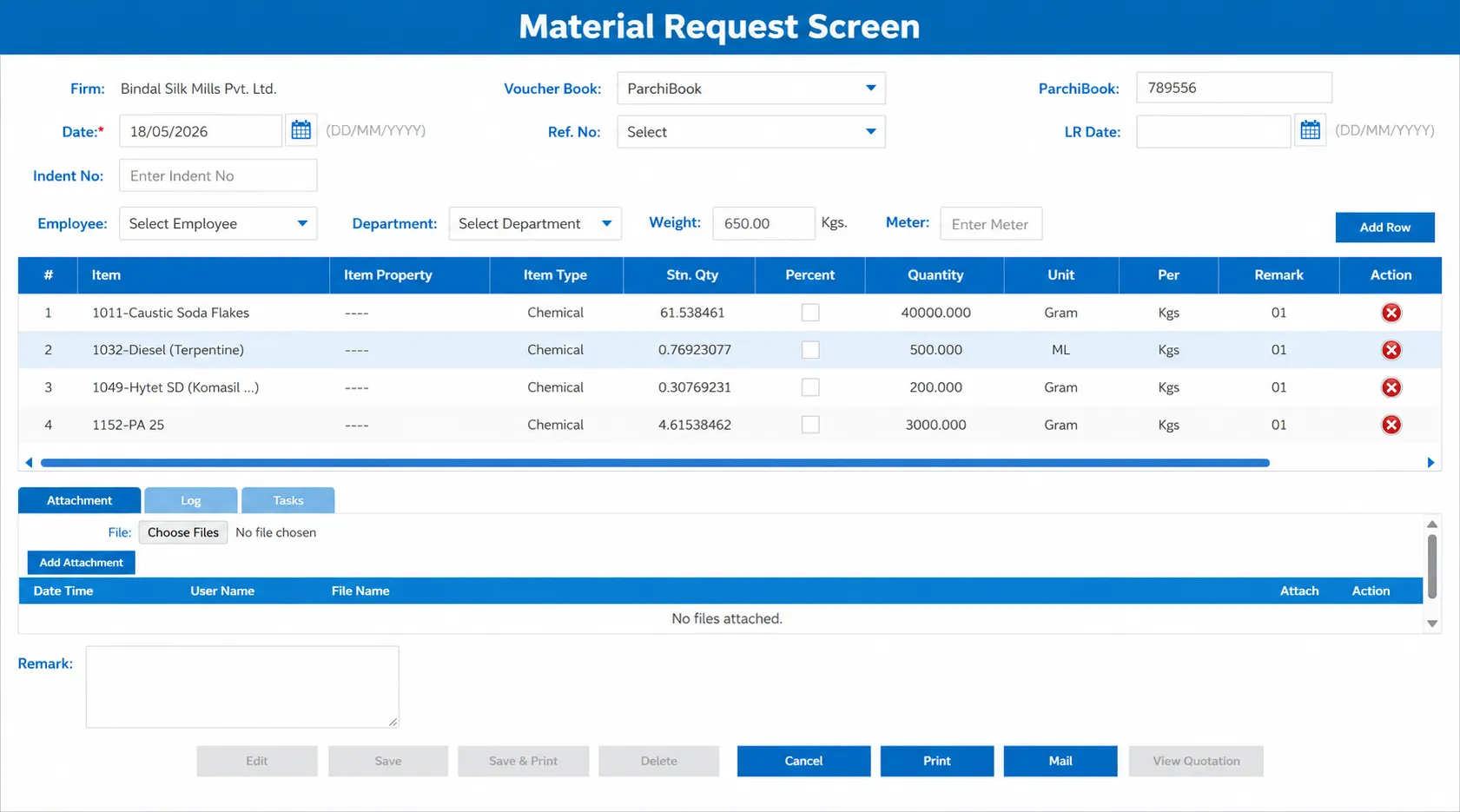
Raise material requests for raw fabric allocation against batch programs. The store team issues takas, and the system tracks what was issued, what's pending, and what arrived on the floor.
- Taka requests generated to allocate raw materials to batches
- Raw material allocation tracked against production batches
- Material requests linked to programs for organised allocation
03 — Batch Management
Create, allocate, and track every batch.
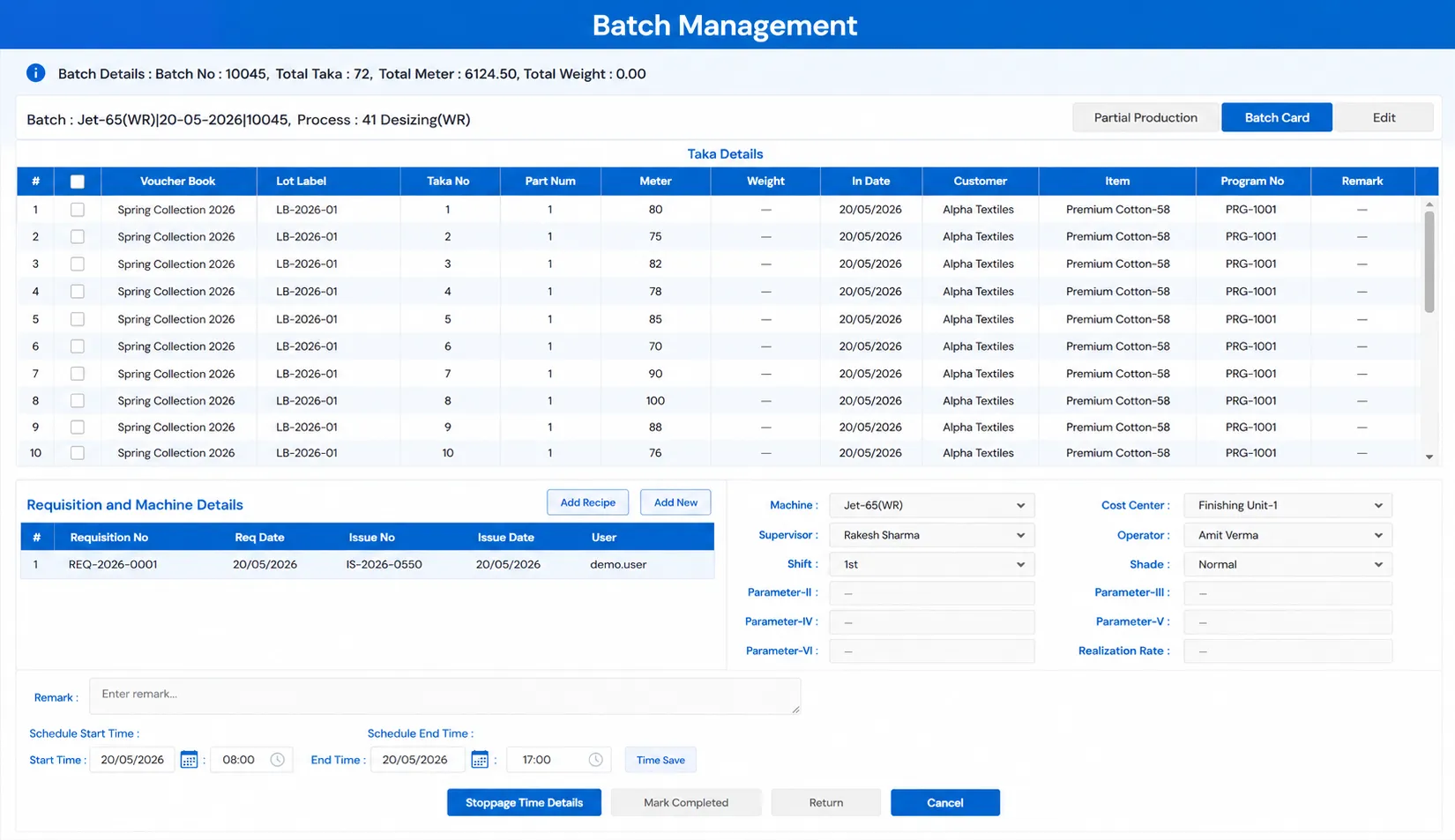
Create batches from planned programs or as empty batches for walk-in jobs. Mark batches ready for the next stage, track them through each work center, and see their status in real time.
- Mark batches as ready for completion or create empty batches for new orders
- Stage-wise batch tracking across work centers
- Batch parameters and specifications captured at creation
04 — Work Centers & Process Master
Configure your machines and processes once.
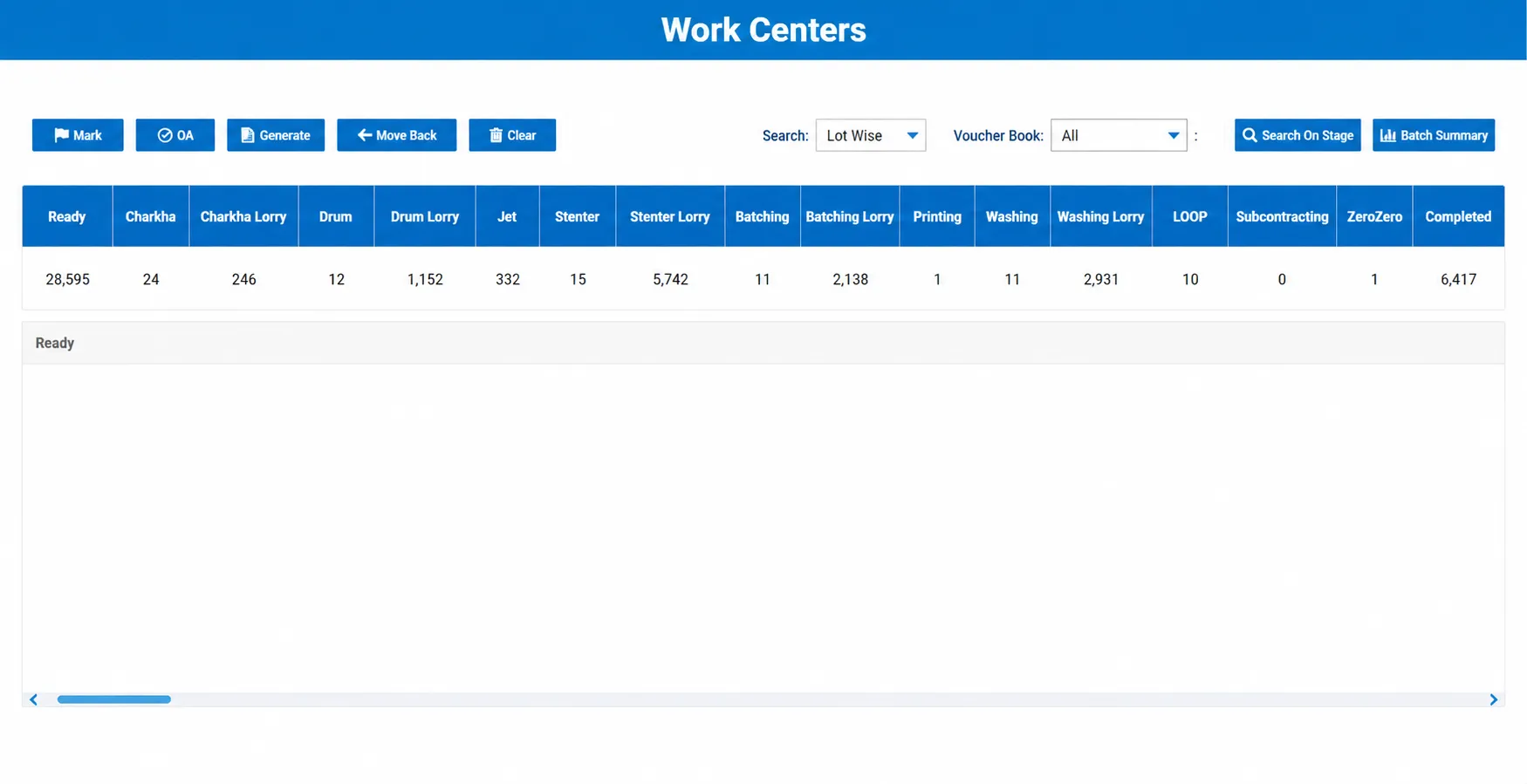
Define machine work centers (jigger, jet, winch) and non-machine work centers (inspection, folding). Set up process groups and master processes so batch routing follows your actual floor layout.
- Machine and non-machine work center setup
- Process groups and master process definitions
- Route-linked batch scheduling across the process house
05 — Stoppage Tracking
Every downtime logged. No more verbal excuses.
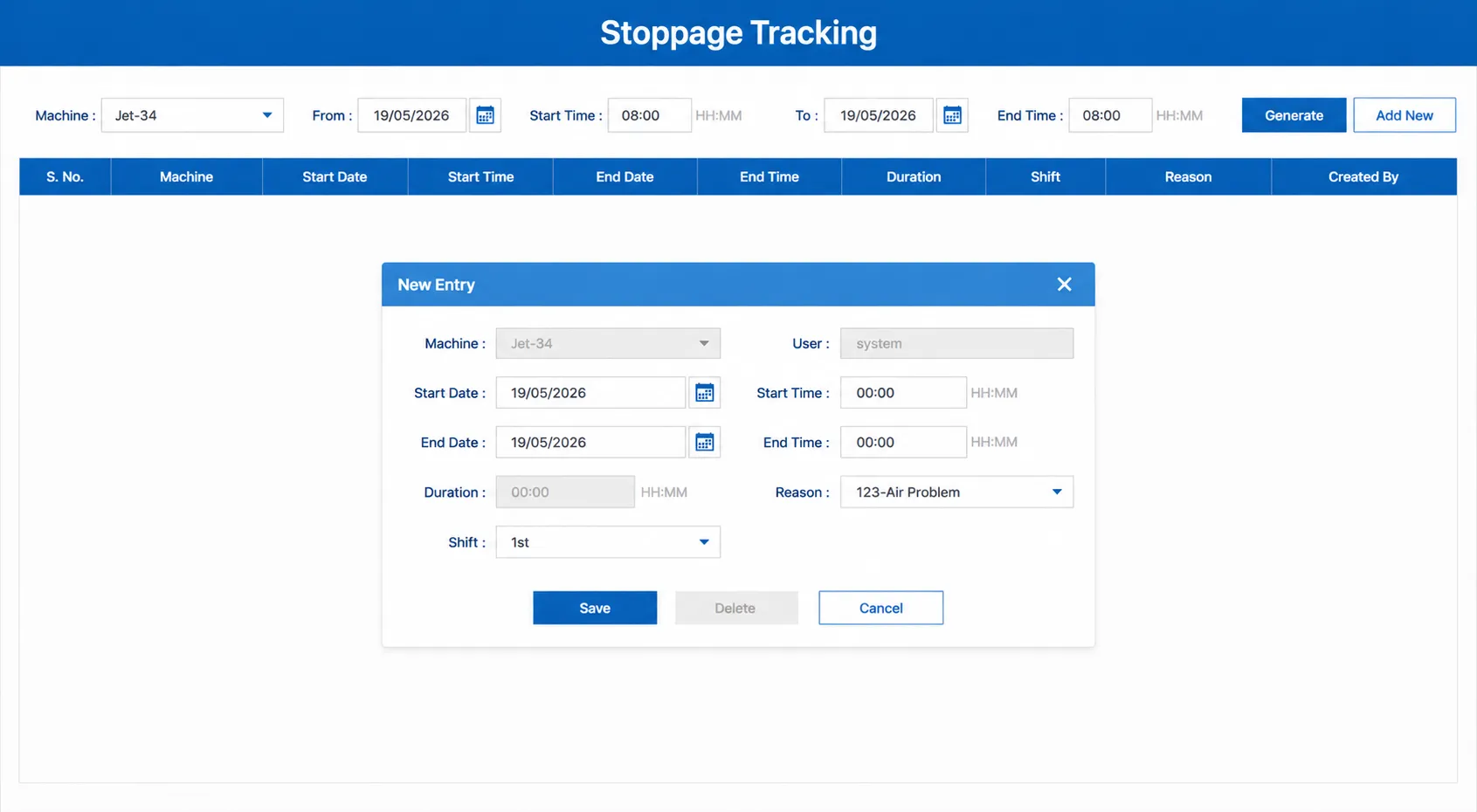
Record downtime and stoppage times against each machine for operational analysis. Stoppage records give you accurate data at shift end instead of verbal estimates from the floor.
- Stoppage and downtime recording per machine
- Downtime data captured for operational analysis
- Accurate stoppage records for shift reporting
06 — MSP Program Module
Plan printing programs with machine allocation.
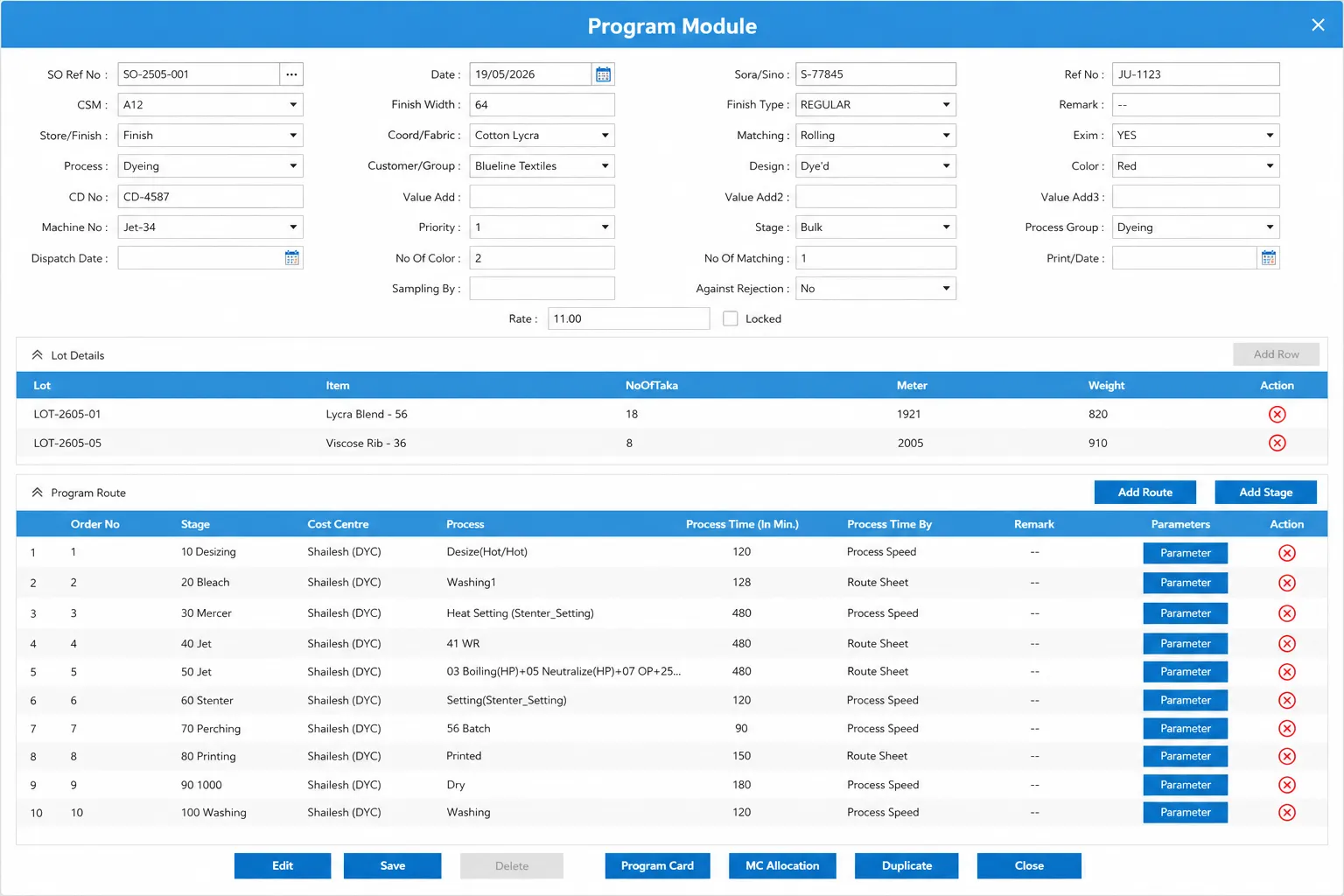
For printing and processing units, create programs with machine master, route configuration, and machine allocation. Attach printing design recipes, create batches, and track production from program to dispatch.
- Machine Master and Route Configuration
- Machine Allocation and Batch Creation per program
- Printing Design Recipe with per-design formulations
Want to see batch management running on your recipes?
Send us your machine count and fabric types on WhatsApp. We'll show you what it looks like for your unit.
Ready to run a tighter process house?
Tell us your machine count and fabric types. We'll show you MobiOffice on a real batch — not a demo dataset.
WhatsApp Us2-hour reply, Mon–Sat